> For the complete documentation index, see [llms.txt](https://mava.gitbook.io/mava-docs/llms.txt). Markdown versions of documentation pages are available by appending `.md` to page URLs; this page is available as [Markdown](https://mava.gitbook.io/mava-docs/getting-started/integration-setup/discord-setup/changing-the-discord-bot-name.md).
# Changing the Discord Bot Name
You can easily change the display name of the Mava Discord bot to align it with your company name e.g. 'XYZcompany Support'
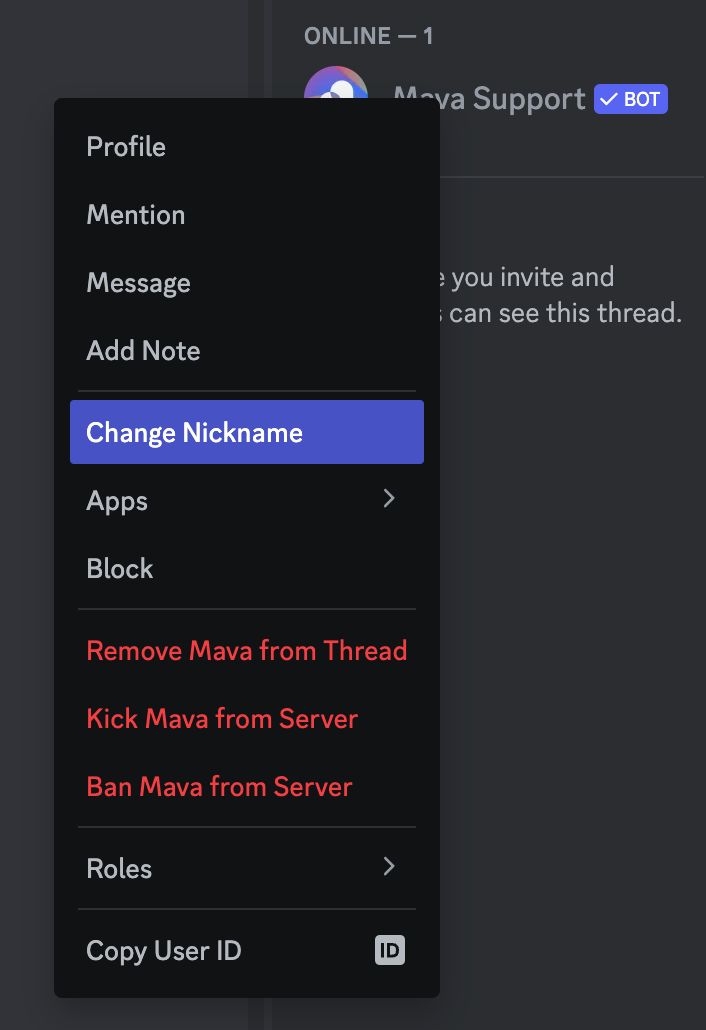
1. Right click on the bot in your Discord server
2. Select the 'Change Nickname' option from the dropdown
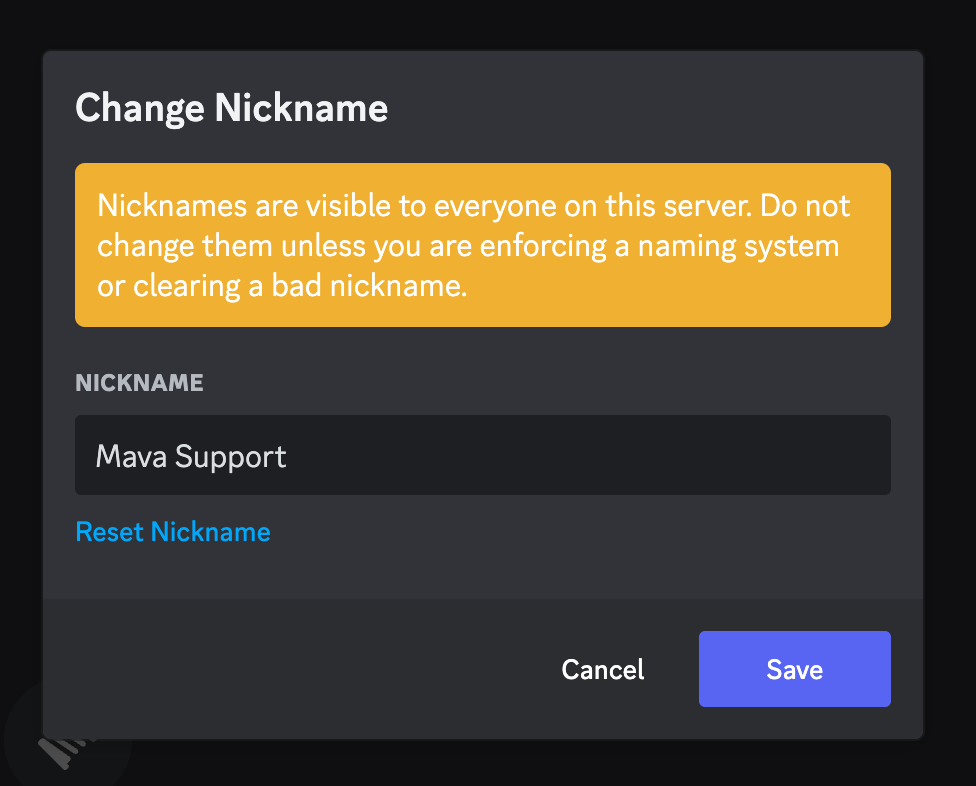
3. Update the name and press the Save button